Introducing Kinscript
I’ve been working on some academic-style genealogy writing. Mostly I’ve been writing family summaries for an eventual book, but I’ve also been writing various research and analysis documents. I don’t know how many of these will ever be seen publicly, but I’d like them to look nice for my own use nonetheless.
I try to write almost everything using Markdown, the format invented by John Gruber which has gradually taken over as the most popular text-based markup format on the web.
I’m also a big Obsidian user – it has good capabilities for linking between notes and an impressive array of community-supported plugins. I find it useful for genealogy note-taking and research. But maybe most important is that it stores its notes as plain text Markdown files on disk. Because of this it’s effectively future-proof. Even if Obsidian goes away, my computer can still read text files from disk.
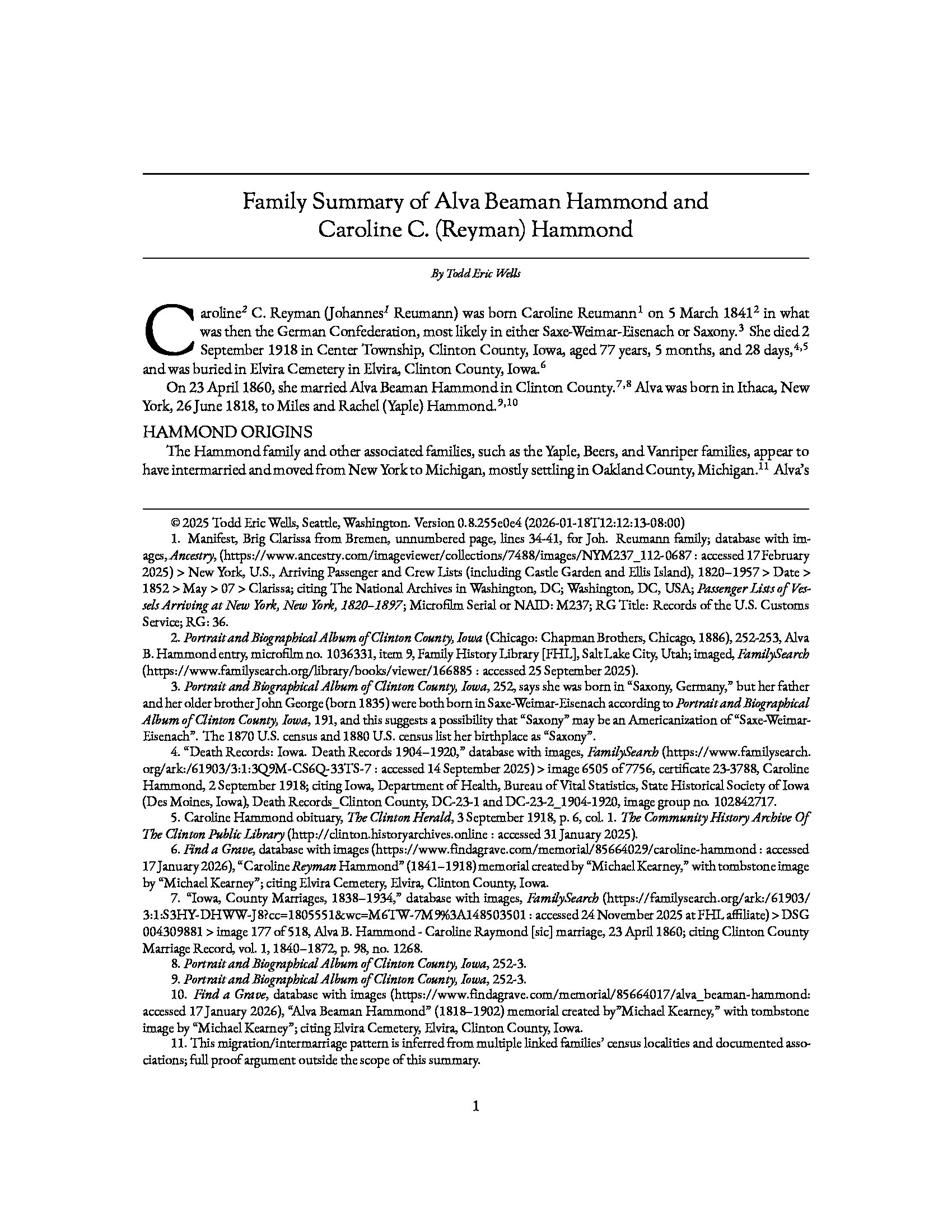
If I want to print or share my writing, I don’t really want to share a text file full of markup symbols–I want it to look nice. And being that this is genealogical writing, I think that the National Genealogical Society Quarterly (NGSQ) is pretty much the standard bearer for how that writing should look. You can download some complimentary articles if you sign up for free at their website to see what this format looks like. The free articles are pretty good, too.
So I set out to emulate the NGSQ style and build a toolchain to produce it from Markdown files. The result is Kinscript. I heavily iterated on the toolchain and the formatting using both ChatGPT and Claude Code. The output is focused on keeping footnotes on the same page as the content, so that the writing can’t be easily separated from the sources which it cites.
There’s also a custom syntax to support creating the numbered and formatted child lists that are commonly in use when publishing descending genealogies.
There are a few prerequisites: Some pretty common and easily attainable unix tools and a couple of fonts to install.
Kinscript requires some special YAML headers in the markdown file (you can find the details in the README), and then you can generate the document like so:
./kinscript.sh <source_markdown_file> <output_directory>
I have a separate custom tool that monitors the source directory and initiates kinscript if it detects a change in one of the markdown files–perhaps I’ll have a separate post about that.
Here’s some sample output: